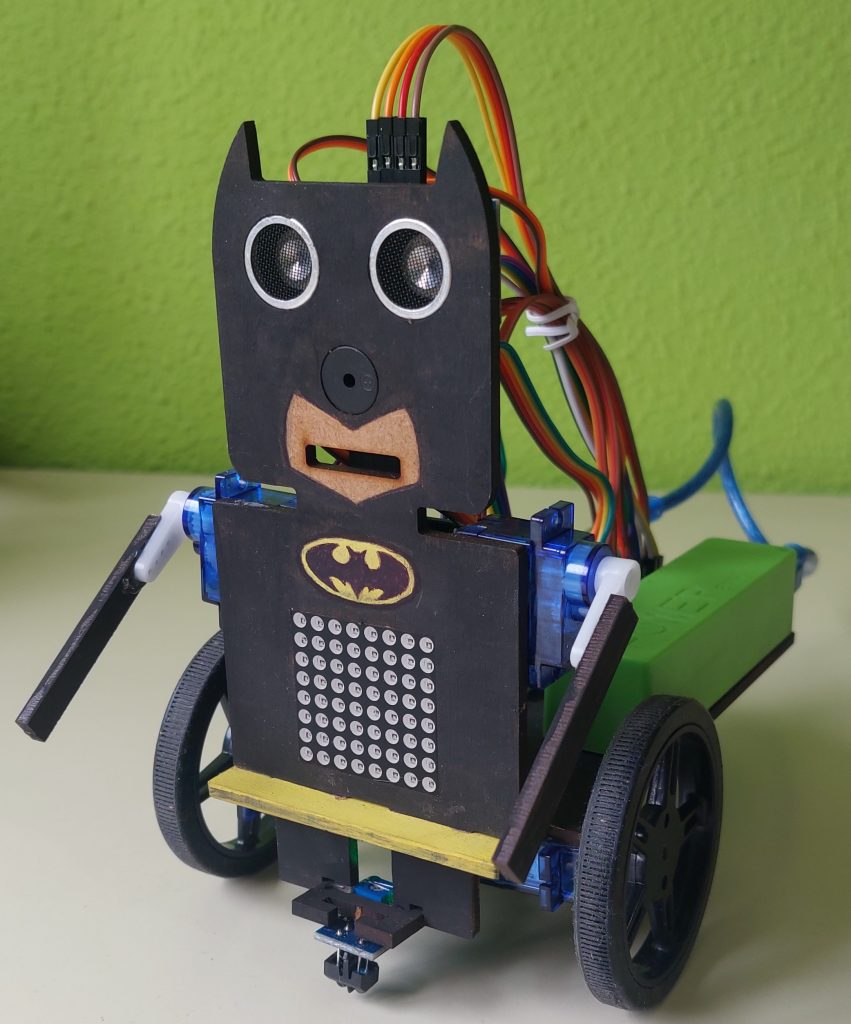
In this entry I will briefly explain the work I have done assembling and programming my BatBot.
Components
The assembly was made with the following components:
- Wood structure
- Arduino Nano v3.0
- I/O Extension Shield to Arduino Nano
- Powerbank 3600mAh USB
- 2 continuous servos FS90R with wheels
- 2 micro servos SG90 with arms
- Sensor Sonar HC-SR04
- Buzzer KY-006
- LED Matrix 8×8 max7219
- Line tracker TCRT500
- SPP-C Bluetooth
- 10 Cables DuPont H-H 20cm
- Caster wheel
Assembly
The robot is assembled as seen in the pictures.
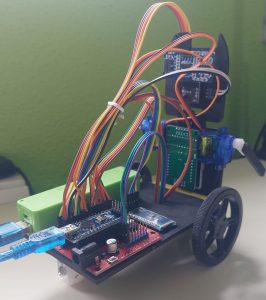
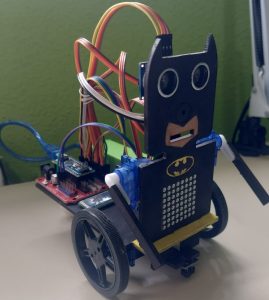
On the bottom of the base, are the castor wheel and the two servo-powered wheels (FS90R). Additionally, the infrared sensor for line following is mounted here in-between the two servo-powered wheels.
On the base, the battery is placed on the left (seen from behind) and the Arduino chip is placed in the bottom right corner. Right above the Arduino chip is the Bluetooth chip.
On the body of the BatBot, the LED matrix is placed in the stomach, the sonar is placed in the eyes, the buzzer as the nose and the two servos to control the arms are placed on the both sides.
Functions
Some of the functions BatBot cand do are:
- Remote Control
- Path following
- Obstacle avoidance
- Dancing
- Expressing emotions and singing
- Acelerometer control
1. Remote control
As we can see in the next image, I have designed an app for controlling the BatBot with my mobile. This app is designed in MIT app Inventor 2. For each function shown, there is a button that sends via Bluetooth a command that will be later translated in an action with Facilino Code.
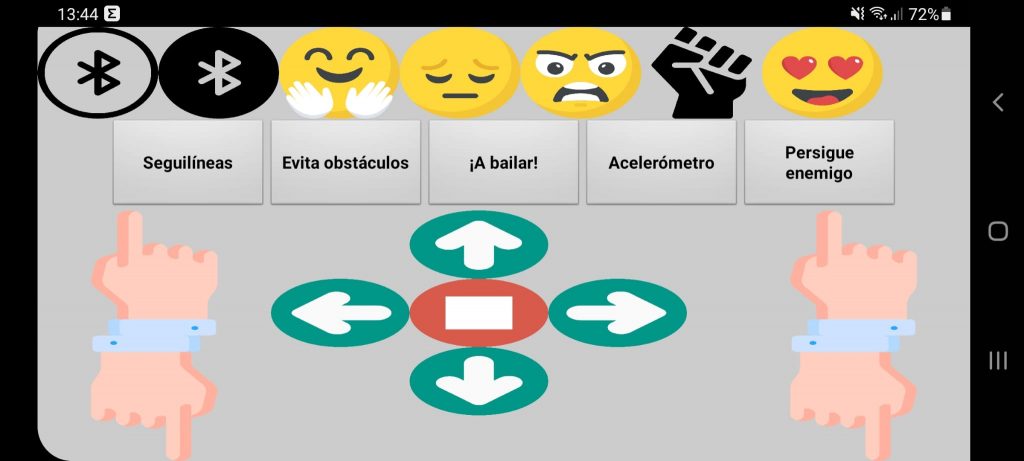
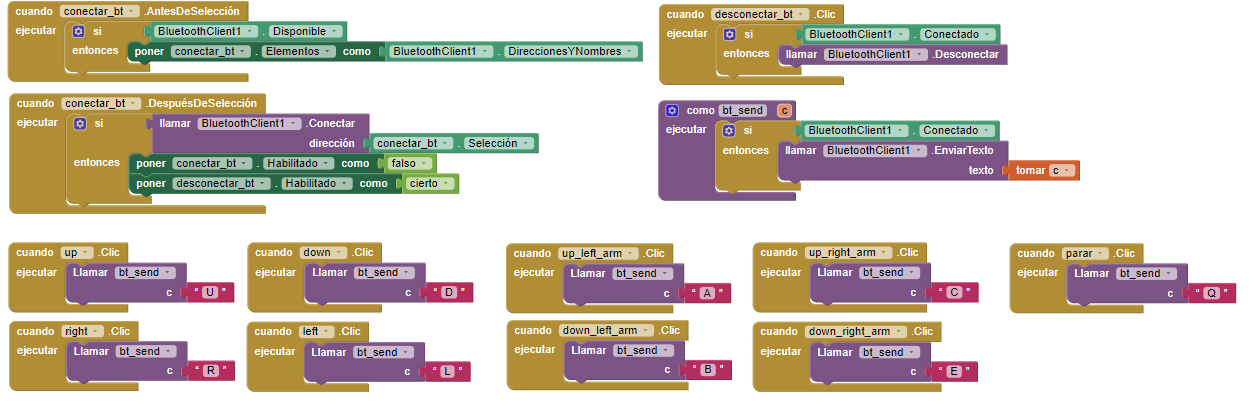
In the upper left corner is the Bluetooth button to connect to the device. It will open a list containing all known Bluetooth devices. When the robots Bluetooth chip is selected it will connect the phone to the robot.
By pressing moving control buttons we can move the Batbot in all directions and moving his arms too.
2. Path following
I have implemented this function on Facilino Code and adjusted the gain for controlling the trajectory, as well as velocities of the wheels. We can see it in this video.
3. Obstacle avoidance
4. Dancing
5. Expressing emotions and singing
In this video we can see an example where the BatBot is singing the Batman Theme or the main song of Braveheart.
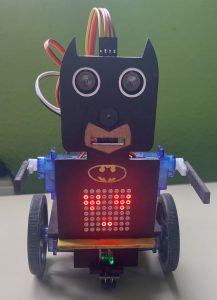
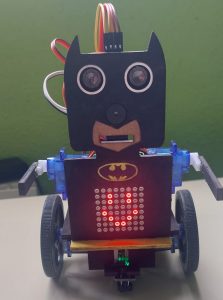
On other hand, we can see some emotions like hapiness or love in the next images.
6. Accelerometer
I have programmed this function on Mit app inventor. The code is the following.
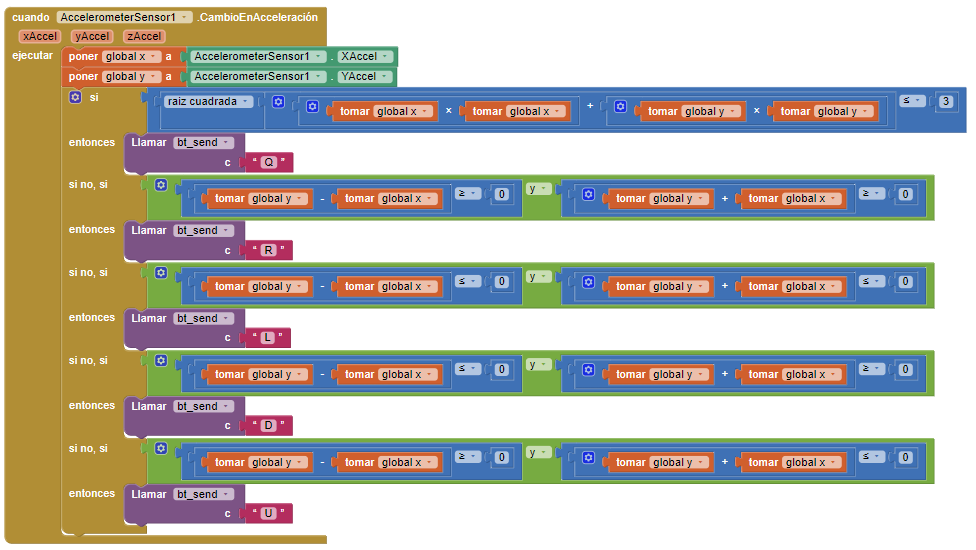
So if we press the accelerometer button, we can control the BatBot only moving the mobile phone from now on.
Programming
I have programmed BatBot on Facilino, and implemented in Arduino afterwards. The code if it is necessary, it is available to download here.
Author
María del Mar Plaza Cano