Learn how to use a 360º servo (continuous rotation). Classic DYOR robot uses FS90R servos to control the wheel movement. Working principle, connection diagram and programming example with Facilino y Arduino.
What is a 360º Servo?
From the control point of view a 360º servo is different from a standard Servo, since a standard servo allows you to control the axis position, while a continuous rotation servo allows you to set the velocity. In addition to this, mechanically they are different too, because a standard servo is limited, while a continuous rotation servo is not. Therefore, although they seem very alike, they are indeed different. They have the same connector and can be controlled through PPM. Internally, both of them have a DC motor and gears, but the continuous rotation servo (CRS) does not have a potentiometer.
How can I control a 360º Servo?
They are actually governed with the same signal, and the Arduino instruction to generate such signal is indeed the same. However, since it is not the same to control the speed or the position, Facilino includes specific instructions for each type of servo. In particular, Facilino instruction will allow you to specify rotation direction and speed (from 0% to 100%). These inputs will be actually translated into an value between 0º and 180º, because the original Arduino instruction expects a degree in order to generate the timing for the physical signal.
Individual speed control
Here we show an example with a 360º servo connected to pin 5 of Arduino Nano:
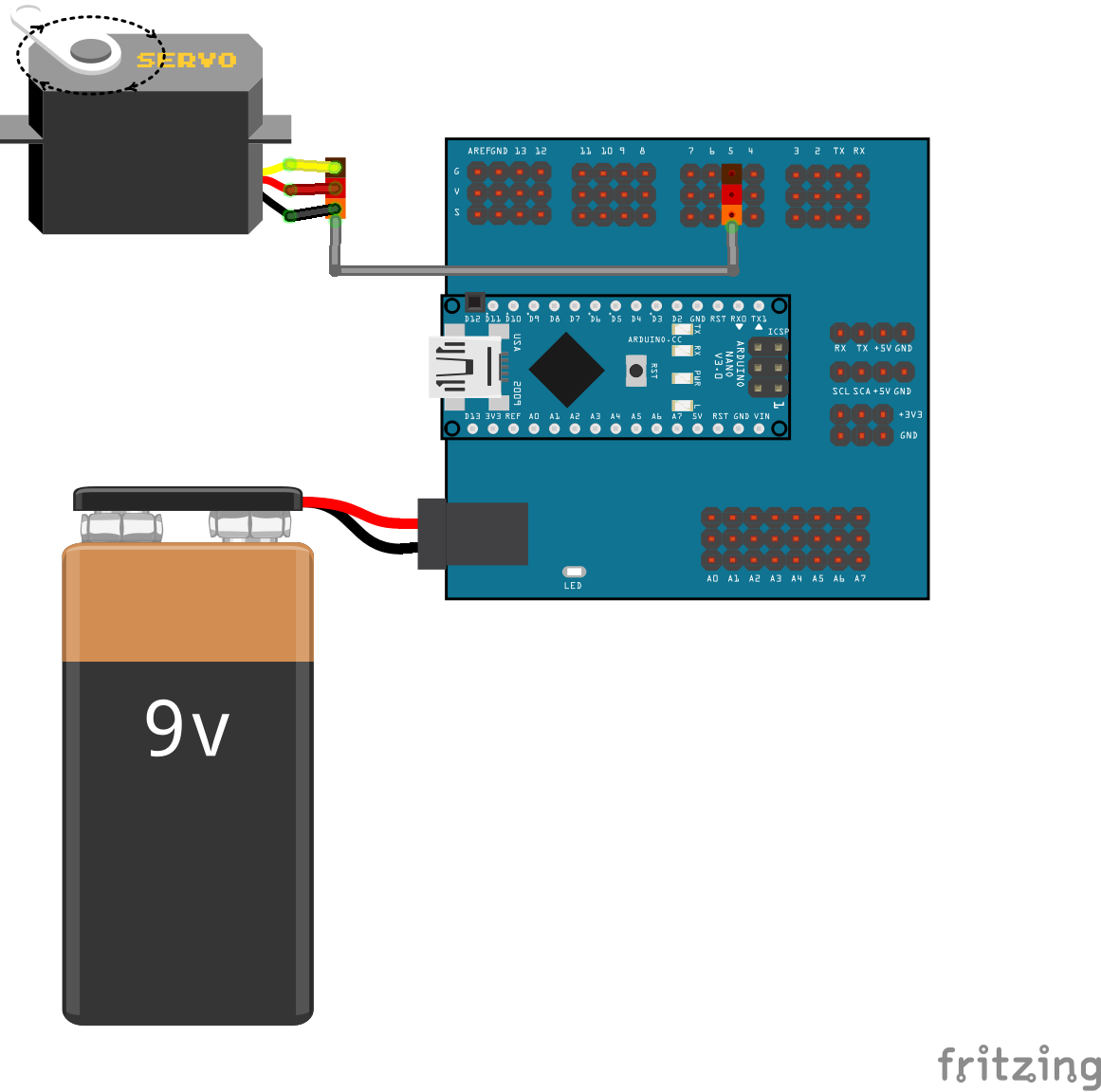
Here you can download Fritzing diagram:
The aim is to control the velocity (speed) of the servo, so we have prepared a simplistic code providing diferent speed values every 100ms, starting from 0% to 100%, progressively. After the maximum velocity is reached, the servo is stopped during 1sec and then repeats the progressive increasing speed loop, but with the opposite direction and stops again 1000ms.

Here you can download Facilino code: